

SAMURAI CMMS Mobile App
A faster, easier way to manage maintenance in the field
Field maintenance software lives or dies by whether crews actually use it. Plenty of systems look polished in a demo, but once technicians are out in the field dealing with breakdowns, inspections, changing priorities and poor connectivity, adoption often drops away quickly.
The SAMURAI mobile app takes a more practical approach. Rather than trying to turn a phone into a full desktop maintenance system, the app focuses on helping technicians, operators and supervisors complete work quickly with minimal friction.
For organisations running earthmoving equipment, mining fleets or civil construction assets, that simplicity is likely one of the app’s strongest points.
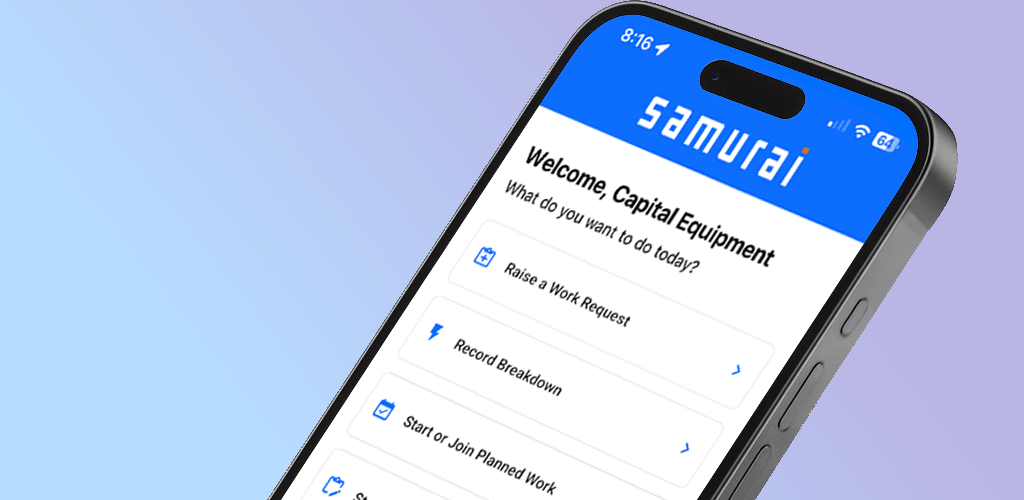
Built Around Field Work
One of the more noticeable differences with the Samurai CMMS mobile app is that it appears designed around how maintenance actually happens on site.
The app focuses heavily on:
work orders
inspections
breakdown reporting
meter readings
forms
asset visibility
Rather than overwhelming users with menus and settings, most day-to-day tasks are accessible directly from the home screen or bottom navigation.
For technicians working across workshops, field service trucks or remote sites, this kind of streamlined workflow can significantly reduce admin time.
Real-Time Sync Between Mobile and Desktop
The mobile app works alongside the main Samurai desktop platform, with updates syncing between field users and office staff in real time.
Work orders, forms, readings and updates entered in the field become immediately visible to supervisors and planners back in the office.
This helps reduce one of the biggest issues many maintenance teams face: reconstructing work after the shift.
For businesses managing multiple sites or mobile crews, having information captured directly at the source can improve planning accuracy and reduce communication delays.
Simple Workflows Without Excessive Admin
The app seems intentionally designed to minimise unnecessary steps.
Technicians can:
open and complete jobs directly from their device
submit forms and inspections on site
raise breakdowns with photos
enter meter readings immediately
review asset information without contacting the office
This is particularly relevant for heavy equipment fleets where maintenance teams are often working under time pressure and may not have reliable access to desktops or paperwork.
The guided forms and colour-coded work priorities are also practical touches. Urgent breakdowns are visually separated from routine work, helping crews prioritise tasks quickly.
Strong Fit for Heavy Equipment Fleets
Many CMMS mobile apps are generic enough to suit factories, facilities or light asset environments, but can become awkward when applied to earthmoving or mining operations.
The app appears better aligned with mobile equipment maintenance workflows, particularly for:
earthmoving contractors
mining support fleets
civil construction equipment
equipment hire businesses
field service operations
The focus on inspections, breakdown capture, meter readings and maintenance history suits the operational reality of heavy equipment fleets more than many generic systems.
Reduced Paperwork and Better Record Keeping
One area where the app could provide meaningful operational value is record quality.
Capturing information directly in the field reduces:
paper forms
duplicated data entry
transcription mistakes
missing maintenance history
delays in reporting
For organisations dealing with compliance requirements, contractor reporting or customer accountability, cleaner maintenance records can become increasingly important as fleets grow.
Ease of Use Appears to Be a Priority
The app interface appears intentionally straightforward.
Buttons are large, navigation is simple, and workflows are guided rather than heavily configurable from the user side.
That may sound minor, but ease of use is often the difference between systems crews tolerate and systems they actively avoid.
The learning curve also appears relatively light compared with larger enterprise-style maintenance systems.
Areas to Consider
Like most maintenance platforms, the mobile app still depends heavily on the quality of the underlying system setup.
Assets, users, schedules, forms and workflows are all managed through the main desktop platform first. Organisations looking at the app should understand that the mobile experience relies on the desktop environment being configured properly.
The app also appears focused on operational maintenance execution rather than broader ERP-style functionality, which may suit some businesses better than others.
You’ll also need to sign up for the desktop version to use the app as all the system configuration is done there - pretty standard for these types of apps.
Final Thoughts
The SAMURAI CMMS mobile app appears well suited to organisations managing heavy equipment fleets where maintenance happens across workshops, field service vehicles and multiple operating sites.
Rather than trying to be an all-in-one enterprise system inside a phone, the app focuses on helping crews:
capture information quickly
complete work efficiently
reduce paperwork
improve visibility across the fleet
For earthmoving, mining and civil operations looking for a more practical mobile maintenance workflow, it presents as a grounded and operationally focused option worth evaluating further.
The team behind Samurai CMMS are Samurai Software, based in Brisbane. More details can be found at: Samurai CMMS